One event rundown,
A timeline for every team member.
Upload your event rundown, then add your team and roles.
Divvrr builds a planner overview and a personal timeline for each team member,
ready to share from one link.
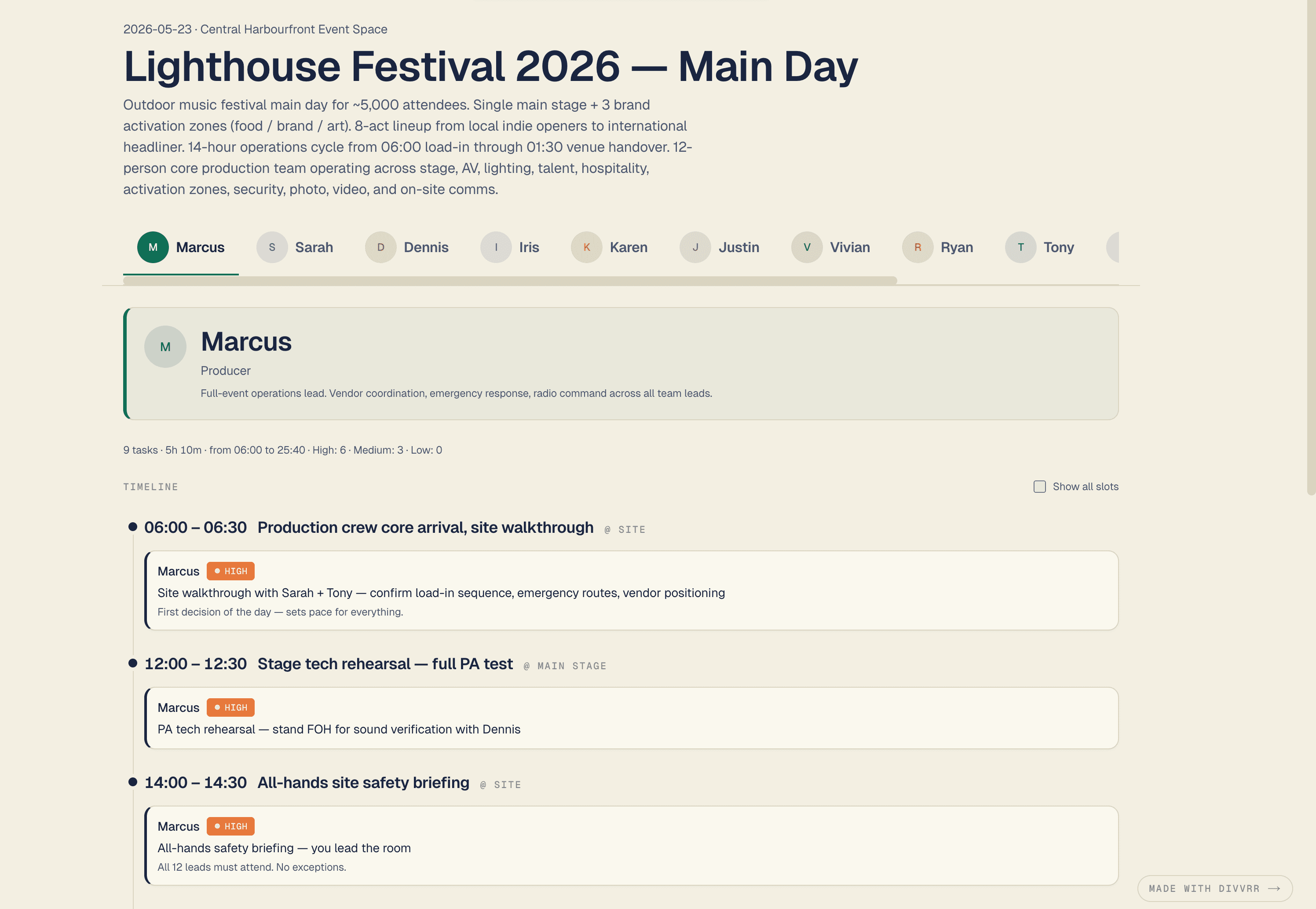
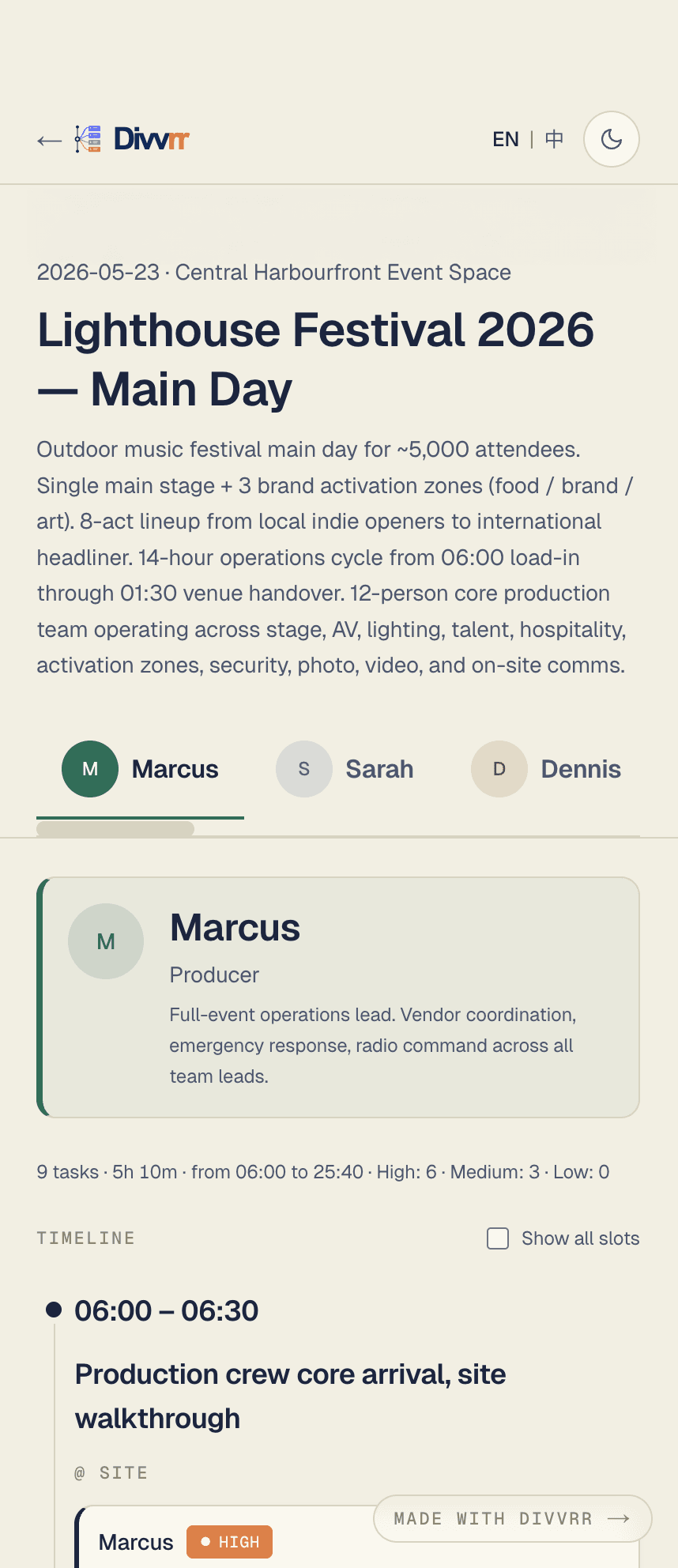
Organizers see the full plan. Crew see only their part.
One event schedule becomes two clean views: a master view for organizers and a personal timeline for every team member.
Build and manage the master timeline
Upload a schedule, add roles, and review the AI-generated plan. Edit any slot inline, or rebuild one member's timeline when their scope changes.
- Edit and add slots inline
- Rebuild one member at a time
- Detect overlapping assignments
- Share links with organizer permissions
Open your tab. See your tasks.
Each member opens the same link, lands on their own tab, and sees only their times, locations, priorities, and notes.
- One tab per member
- Priority labels: High / Med / Low
- Switch to the full rundown when needed
- Mobile-friendly read-only view
From event schedule to personal timelines in four steps.
Select a step to preview how it works in Divvrr.
- 01 — Upload
Upload your schedule
Upload PDF, Word, Excel, or plain text. You can also paste text or ask AI to draft a schedule.
- 02 — Team
Add members and roles
Add each person's name, role, and scope. Free text works — no fixed categories.
- 03 — Split
AI builds personal timelines
Each member gets their own timeline, built from the same master schedule.
- 04 — Share
One link, one tab per person
Share it once. Everyone opens the tab built for them.
Built for events of every kind.
Divvrr works with any event format. One engine, different teams. Here's how it fits four common event types.
Corporate event
Small photo and video teams covering dinners, speeches, awards, and guest moments.
Conference
Photo and video crews working across multiple tracks, panels, speakers, and VIP sessions.
Brand activation
Production teams managing pop-ups, outdoor events, roaming content, and live moments.
Wedding
Couples and crews coordinating a full-day wedding with family, bridal party, and vendors.
FAQ
Stop sending the same PDF to everyone.
Send one link. Everyone gets the view they need. Try it free — 50 credits, no card required.